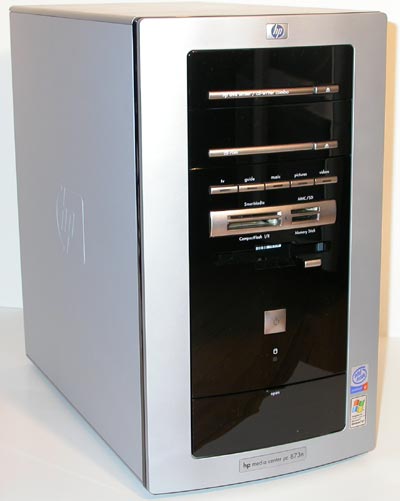
First look at this to understand what it is
If running 56K click below
http://www.microsoft.com/windowsxp/wmx/ ... emo56k.asp
If running High Speed click below
http://www.microsoft.com/windowsxp/wmx/ ... mo300k.asp
Windows XP Media Center Edition Top 10 Benefits
1.Easily access your entertainment experiences from one place
2.Watch your favorite shows whenever you want
3.Enjoy the convenience of a single remote control to access your entertainment
4.Experience the power of Windows XP
5.Transform your living space into a theatre
6.Easily find just the TV programs you want
7.Work hard, play hard
8.Watch and control live TV—and never miss a moment
9.Experience your music collection with the ultimate jukebox
10.Create your own digital media library
Here is how it works

Comes with a remote

A Few Questions you might have
What is Windows XP Media Center Edition?
A) A new member of the Windows XP family, Windows XP Media Center Edition is an operating system that brings together the best of computing and home entertainment. It transforms your PC into a Media Center that provides easy access to all your favorite digital entertainment experiences. Windows XP Media Center Edition is built on Windows XP Professional and provides you with the same power, reliability, and security enhancements.
What is a Media Center PC, and what kind of hardware components does it include?
A) A Windows XP Media Center Edition PC is a complete personal computer that both runs Windows XP Media Center Edition and is equipped with the hardware required to deliver powerful computing and rich home entertainment experiences.
Most Media Center PCs are outfitted with powerful processors, high-capacity hard disks, CD-ROM/DVD drives, and rich graphics and audio capabilities. In addition, Media Center PCs include a remote control and TV tuner card, and might also offer features that enable you to connect the PC to your home entertainment system.
Can I connect my Media Center PC to a 5.1 Surround Sound Receiver?
A) Depending on the sound card installed in your system, you might be able to connect to a 5.1 Surround Sound receiver. Note that additional configuration might be required. PC manufacturers are shipping many configurations, which can include a speaker and sound card combination, in addition to 5.1 Surround Sound support. Check with the individual Media Center PC manufacturers for information on how you can purchase a Media Center PC with the capabilities you want.
For More FAQ's Go to
http://www.microsoft.com/windowsxp/medi ... on/faq.asp
All Info taken from Microsoft's site.